Most US companies do not wake up one morning and decide to buy ERP software. They back into it. A controller is closing the month in QuickBooks with four spreadsheets taped together, inventory lives in a warehouse system nobody trusts, and the sales team keeps its own customer list. At some point the workarounds cost more than a system would.
That is usually somewhere between 20 and 200 employees. Below that, accounting software plus a couple of point tools is often the smarter call. Above it, the spreadsheet tax gets real: duplicated data entry, late closes, inventory write-offs, and a monthly scramble to explain why the numbers do not match.
This guide is for the person who has to run that evaluation — usually a CFO, controller, COO, or IT manager who has never bought ERP before and has about six months to get it right. We will cover what ERP software actually does, how the market segments, what it costs, and where implementations go wrong.
What ERP Software Actually Does
ERP stands for enterprise resource planning, which is a grand name for a simple idea: one system, one set of records, one version of the truth. The core is the general ledger. Everything else — order entry, purchasing, inventory, manufacturing, payroll, project billing — posts into that ledger or draws from the same master data.
The practical difference shows up in transactions. When a sales order ships in a real ERP, inventory goes down, cost of goods sold posts, the customer’s order history updates, and the invoice lands in accounts receivable. In a stack of disconnected tools, those are four separate keystrokes and at least one reconciliation.
ERP is not the same as accounting software. QuickBooks, Xero, and FreshBooks handle bookkeeping, invoicing, and basic reporting. They do not handle multi-step order fulfillment, bill of materials, warehouse bins, or multi-entity consolidation. The line between the two categories has blurred as accounting platforms add inventory and CRM features, but the structural difference remains: ERP is built around operational transactions, not tax returns.
The Market Segments, Honestly
Vendors describe themselves in ways that make everything sound enterprise-grade. A more useful split is by buyer profile.
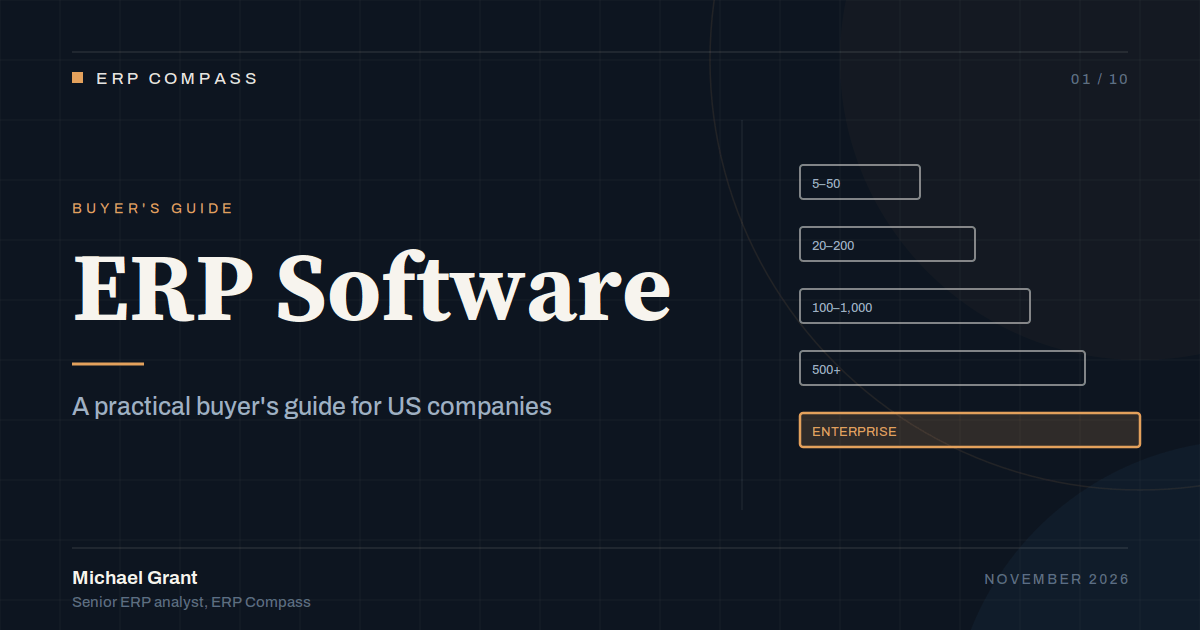
| Segment | Typical headcount | What buyers need | Examples |
|---|---|---|---|
| Entry / small business | 5–50 | Accounting, invoicing, light inventory, basic reporting | Sage 50, Odoo Community, QuickBooks plus add-ons |
| Lower mid-market | 20–200 | Multi-step fulfillment, inventory, projects, CRM in one place | Odoo Enterprise, Sage 100, Acumatica, Business Central |
| Core mid-market | 100–1,000 | Multi-entity, manufacturing or distribution depth, integrations | NetSuite, Sage Intacct, Sage X3, Epicor Kinetic, Business Central |
| Upper mid-market / enterprise | 500+ | Global consolidation, complex manufacturing, regulated processes | Oracle Cloud ERP, Dynamics 365 Finance, SAP S/4HANA |
Headcount is a rough proxy, not a rule. A 40-person medical device company with FDA traceability requirements needs more system than a 200-person marketing agency. Complexity — entities, currencies, regulatory exposure, manufacturing depth — matters more than employee count. A company with one product line and one location can run a lighter system longer than its headcount suggests.
Cloud, On-Premises, or Something in Between
Cloud is the default for new purchases, and the reasons are practical: no server to maintain, predictable subscription cost, remote access without a VPN, and upgrades handled by the vendor. The trade-off is that you rent the software in perpetuity and your customization options are narrower than they were in the client-server era.
On-premises still makes sense in a few situations. Manufacturers with shop-floor systems that cannot tolerate internet outages, companies with data residency constraints, and businesses that have already sunk cost into server infrastructure may find on-premises cheaper over a long horizon. But be honest about the hidden costs: hardware refresh, SQL Server licensing, backup and disaster recovery, security patching, and the person who has to do all of it.
“Hosted” is the middle option, and it is not the same as cloud. A hosted deployment puts a traditional on-premises product on someone else’s server. You keep the customization freedom and the upgrade burden. Vendors have gotten better at marketing this distinction away. Ask directly whether the product is multi-tenant, whether all customers run the same code release, and how upgrades are scheduled.
For most US mid-market buyers in 2026, a true multi-tenant cloud product is the right default. If you are choosing between specific platforms, our cloud ERP guide goes deeper on deployment models and contract terms.
What ERP Software Costs
List prices are almost meaningless in this market. Vendors discount, bundle, and re-price at renewal. Still, you need a budget model, and the components are consistent.
| Cost component | Typical range for a 50-user mid-market deal | Notes |
|---|---|---|
| Subscription or license | $15,000–$75,000 per year | Driven by user count, modules, and edition |
| Implementation services | $25,000–$150,000 one-time | Often 0.5–1.5× first-year license |
| Data migration | $5,000–$40,000 | Item master and open balances are the hard parts |
| Integrations | $5,000–$50,000 | Per system; e-commerce, payroll, EDI, CRM |
| Training and change management | $3,000–$20,000 | Underfunded more often than any other line |
| Ongoing support and admin | 15–25% of license per year | Plus internal staff time |
The number that surprises first-time buyers is services. A $30,000 annual subscription can easily carry a $60,000 first-year implementation. Budget the first-year total, not the subscription, and assume you will find at least one integration you did not plan for.
How to Build a Shortlist Without Wasting Six Months
Start with requirements, but keep them operational. A 200-line feature checklist invites every vendor to claim a yes. Instead, document the ten to fifteen workflows that matter most — quote to cash, procure to pay, record to report, and whatever is unique to your business — and make vendors demonstrate those in a scripted demo using your data.
Then screen on fit before features. A vendor that has never implemented in your industry will cost more in services to bridge the gap, no matter how good the demo looks. Ask for three references in your industry, in your size band, on the same product edition, and call them without the vendor on the line.
Keep the list short. Three vendors is enough for most mid-market evaluations. More than that and the process collapses under its own weight, while the internal team loses the thread of what each system actually does.
If you are early in the process, the platform guides are a faster starting point than a generic checklist: Oracle ERP, Microsoft ERP, Sage ERP, Odoo ERP, Epicor ERP, and the NetSuite ERP system each have a defined shape and a defined set of buyers they serve well.
Implementation: Where the Money and Time Go
A mid-market ERP implementation typically runs three to nine months. The work breaks into discovery, configuration, data migration, integration, testing, training, and go-live. The parts that slip are predictable.
Data is the first. Item masters are dirty, customer records are duplicated, and opening balances never reconcile on the first pass. Cleaning data before the project starts is unglamorous and saves weeks later. The second is process disagreement. ERP forces a company to standardize how it does things, and departments that have run on local workarounds for a decade do not give them up quietly. The third is testing. Teams test the happy path, go live, and discover the exception handling in week one.
Plan for a month of hypercare after go-live and do not schedule a major product launch, acquisition, or audit in the same quarter. The first month-end close on a new system is always slower than the last one on the old system. That is normal, and it is not a sign the project failed.
Frequently Asked Questions
How much does ERP software cost for a small business?
For a 10–25 user company with straightforward needs, expect roughly $10,000–$40,000 in first-year subscription and implementation combined, depending on the platform and how much data migration is required. Entry-level products and open-source options can land below that, but the services cost rarely disappears. The mistake is budgeting only for the subscription.
When should a company move off QuickBooks?
When the workarounds start costing real money: inventory that does not match the warehouse, multi-entity consolidation done by hand, order volume that exceeds what the accounting file can handle, or a close that takes more than two weeks. If you are still under 20 employees with one entity and simple inventory, QuickBooks plus a focused add-on is often the better economic choice.
Is cloud ERP always better than on-premises?
No. Cloud is the better default for most buyers because it shifts infrastructure work to the vendor and makes remote access simple. On-premises can win when you have shop-floor or data-residency constraints, a long depreciation horizon on existing hardware, or customization needs that a multi-tenant product cannot support. The decision should follow your constraints, not the vendor’s preferred sales motion.
How long does an ERP implementation take?
Three to nine months for most mid-market deployments. Multi-entity, multi-currency, or manufacturing-heavy projects run longer. The biggest variables are data quality, the number of integrations, and how quickly the business can agree on standard processes. A vendor promising a two-month go-live for a 100-user manufacturer is either misunderstanding the scope or planning to leave most of it for later.
Do we need an implementation partner?
Usually yes, even if the vendor sells directly. A good partner brings industry templates, migration experience, and someone to call when configuration gets stuck. The exception is a small, single-entity deployment on a product you already know. If you do use a partner, define scope in writing, name the specific consultants, and tie payments to milestones rather than hours.
About the Author
Michael Grant is a senior ERP analyst and contributing editor at ERP Compass. He spent 12 years implementing and supporting finance and operations systems for US manufacturers, distributors, and professional services firms before moving into independent research. Read more about our editorial process.
Last updated: November 2026